
Puppy Linux – The Ultimate Low-Resource Champion
Puppy Linux has earned its reputation as one of the most lightweight and versatile distributions for aging hardware. Designed to run entirely in RAM, Puppy can breathe life into machines with as little as 256 MB of RAM and a 500 MHz processor. Its entire system loads into memory on boot, resulting in blistering speed even on USB 1.1 drives or old IDE hard disks. Puppy offers a choice of desktop environments including JWM and Openbox, keeping the interface snappy and intuitive. Despite its tiny size (under 500 MB), it comes preloaded with a surprising array of applications: a full web browser (Chromium or Firefox), word processor, spreadsheet, media player, and system tools. The unique “save file” feature lets you preserve changes across reboots without a full installation. For PCs from the late 1990s to mid-2000s, Puppy Linux is often the last stop before e-waste.
Lubuntu – Ubuntu Light with LXQt Elegance
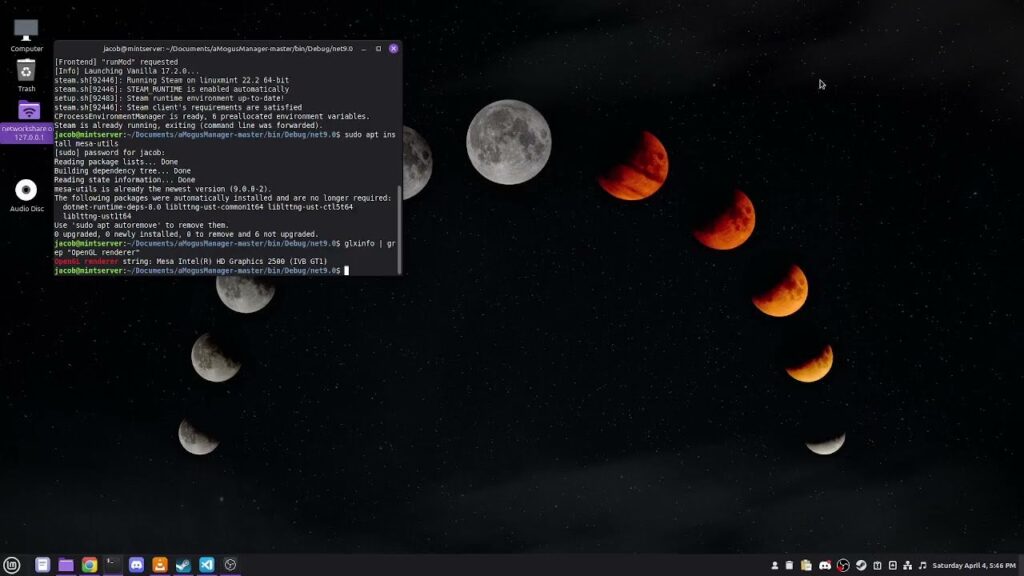
Lubuntu is the official lightweight flavor of Ubuntu, using the LXQt desktop environment instead of GNOME or KDE. It targets older computers while maintaining compatibility with Ubuntu’s vast software repositories and hardware support. A typical Lubuntu installation idles at around 500–600 MB of RAM, making it suitable for machines with 1 GB or more. The LXQt interface is modern, clean, and highly customizable without being resource-hungry. Lubuntu includes a sensible set of default applications: Firefox, LibreOffice (or a lighter alternative), VLC, and a simple archive manager. Its real strength lies in the balance between low resource usage and modern usability—you get an up-to-date kernel, security patches, and driver support for Wi-Fi and graphics cards that many ultra-light distros lack. For a Pentium 4 or early Core 2 Duo with 1–2 GB RAM, Lubuntu provides a full desktop experience without frustration.
Xubuntu – Xfce Power for Moderate Old PCs
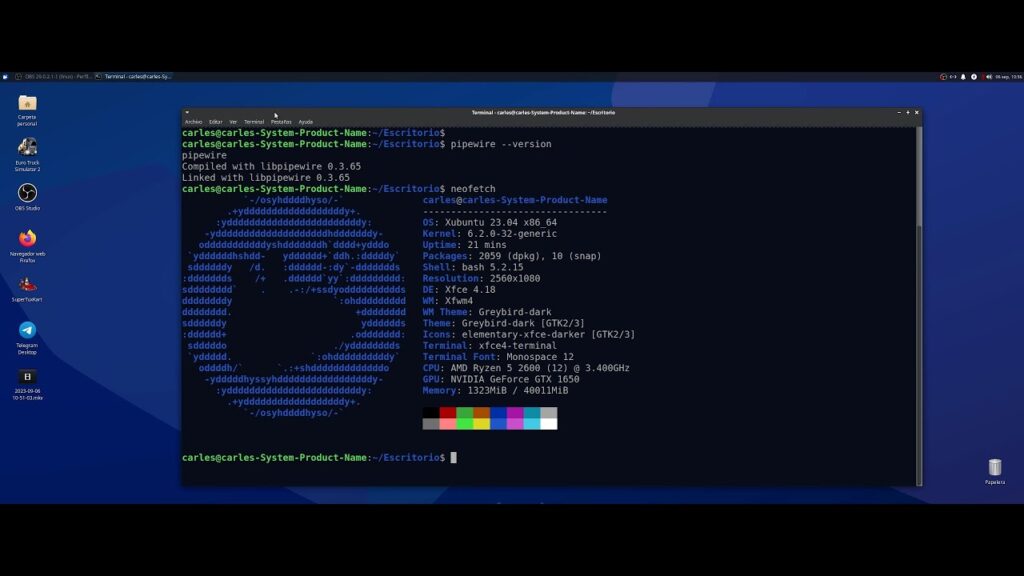
Xubuntu pairs the robust Ubuntu base with the time-tested Xfce desktop environment. While slightly heavier than Lubuntu (around 600–800 MB RAM at idle), Xubuntu offers a more feature-rich interface with better customization options and a classic desktop metaphor that Windows XP or 7 users will love. It runs well on processors as old as Intel Core Duo and AMD Athlon 64, with 1.5–2 GB of RAM recommended. Xubuntu’s advantage is its maturity: Xfce has been refined for two decades, offering panel applets, keyboard shortcuts, and window management that feel complete but not bloated. The distribution includes Thunar file manager, Ristretto image viewer, and the Parole media player—all optimized for low CPU usage. For a PC from 2007–2010 that struggles with Windows 10, Xubuntu delivers a snappy, stable, and full-featured Linux experience.
Linux Lite – Windows-Friendly Transition for Old Hardware
Linux Lite is specifically designed to help Windows users migrate to Linux on older computers. It uses a customized Xfce desktop that mimics Windows’ layout, with a start menu, system tray, and taskbar that feel instantly familiar. The system requirements are very modest: a 1 GHz CPU, 768 MB RAM, and 8 GB disk space. Linux Lite includes a unique “Lite Software” tool that suggests and installs common applications (Chrome, Skype, Dropbox) while removing unnecessary services. It also offers built-in system restore points, a graphical firewall configurator, and a “Task Manager” akin to Windows. The distribution excels on Pentium 4, Atom, or early Celeron systems with 1–2 GB RAM. Because it’s based on Ubuntu LTS releases, you get five years of security updates, making it a solid choice for a secondary or elderly family member’s PC.
AntiX – Systemd-Free for Extremely Old Machines
antiX is a lightweight, systemd-free distribution based on Debian’s Stable branch, aimed at computers with as little as 256 MB of RAM and a Pentium II processor. It uses a combination of IceWM, Fluxbox, and JWM as window managers, allowing the user to switch between them at login. antiX does not use a full desktop environment—instead, it provides a suite of lightweight applications: SpaceFM file manager, Seamonkey web suite, Claws Mail, and the nano/vi editors. The live ISO is under 1 GB, and a full install consumes less than 2 GB of disk space. antiX includes its own “control centre” for system configuration, and the “antiX Full” edition still runs snappily on a 1999-era laptop with 512 MB RAM. For anyone reviving a Pentium III, AMD K6, or early Atom netbook, antiX is arguably the most usable option that still offers a graphical desktop.
MX Linux – Midweight Performer for Aging but Capable PCs
MX Linux consistently ranks as one of the most popular desktop distributions because it combines Debian Stable with custom lightweight tools and Xfce (or Fluxbox as an option). It requires about 1 GB of RAM for comfortable use and a 1.2 GHz dual-core CPU, but it will run on lower specs with careful tuning. MX Linux shines on late-2000s to early-2010s PCs: Core 2 Duo, Athlon II, or first-gen i3/i5 processors. The developers created dozens of unique helper utilities—MX Tweak, MX Snapshot, MX Boot Repair—that make system maintenance painless. The distribution runs entirely without systemd by default (though it can use it), which some users prefer for old hardware. With a full set of modern applications including LibreOffice, GIMP, and Firefox, MX Linux proves that a lightweight distro need not feel sparse or outdated.
Bodhi Linux – Sleek and Minimalist with Moksha Desktop
Bodhi Linux stands out for its elegant and highly efficient Moksha desktop, a continuation of the Enlightenment DR17 window manager. The base system idles at around 200–300 MB of RAM, yet it provides animated visuals, a shelf (panel), and gadget-like “modules” that rival KDE’s aesthetics. Bodhi offers several editions, from the bare-bones “AppPack” (no extra applications) to a more complete version with Firefox, LibreOffice, and multimedia codecs. The minimum requirements are a 500 MHz processor and 256 MB RAM, though 512 MB is recommended for web browsing. Bodhi’s philosophy is to give users a clean slate—after installation, you use the “Bodhi AppCenter” to install only the programs you need. This approach keeps the system extremely responsive on old netbooks (Asus Eee PC) or thin clients. For users who want a beautiful, lightweight, and highly customizable desktop, Bodhi is an excellent choice.
Tiny Core Linux – For Masochists and Minimalists Alike
Tiny Core Linux is the most extreme lightweight distribution, with the Core edition fitting in just 12 MB and the full desktop edition under 200 MB. It boots in seconds and runs entirely from RAM, requiring as little as 46 MB of RAM for the command-line version or 128 MB for a graphical environment. Tiny Core is not for beginners: there is no traditional installer (you copy files manually), no bundled applications beyond a basic busybox, and the package manager (tce) requires terminal usage.
However, for PCs from the Pentium MMX era (166 MHz, 64 MB RAM) or for turning an old thin client into a dedicated firewall or file server, Tiny Core is unbeatable. The FLTK-based graphical desktop offers a minimal panel and application menu, and you can add browsers like Midori or Dillo via the repository. Expect a steep learning curve, but the performance on ancient hardware is unmatched.
SparkyLinux – Lightweight with Choice of Desktop Environments
SparkyLinux is a Debian-based rolling-release distribution that offers a “MinimalGUI” edition specifically for old PCs. You can choose from several ultra-light desktop options: Openbox, LXQt, or even MATE. The base system with Openbox consumes about 150–200 MB of RAM and runs on any CPU from Pentium III upward. SparkyLinux includes its own “Sparky APTus” graphical tool for installing over 50 pre-configured application sets (gaming, multimedia, office, etc.). The distribution also offers a “GameOver” edition for retro gaming, but the lightweight variants are perfect for reviving old laptops with 512 MB to 1 GB RAM. Because it tracks Debian Testing, Sparky gets newer software than Debian Stable, which can be a double-edged sword on very old hardware (newer kernels may drop support for ancient graphics chips). Still, for a Pentium 4 with 1 GB RAM, SparkyLinux provides a modern, flexible, and surprisingly fast daily driver.
Q4OS – A Windows XP Lookalike for Pentium Class PCs
Q4OS is designed to emulate the look and feel of Windows XP or 2000, using the Trinity Desktop Environment (TDE) – a continuation of KDE 3.5. The system requirements are astonishingly low: a 300 MHz CPU, 128 MB RAM, and 3 GB disk space. Despite this, Q4OS provides a full graphical desktop with a classic start menu, taskbar, system tray, and desktop icons. It includes the “Desktop Profiler” tool that automatically installs common Windows-like applications (Chromium, TeamViewer, VLC). The distribution is based on Debian Stable, so it is rock-solid and secure. Q4OS shines on Pentium II/III/IV systems where even Puppy Linux might feel sluggish due to heavy RAM usage from modern browsers. For an old office PC destined to be a writing or spreadsheet machine, Q4OS offers a familiar interface that requires zero learning curve.
Slax – Portable Lightweight Distro for USB Booting
Slax is a modern, modular Linux distribution based on Debian that focuses on portability and minimalism. The entire system fits in a 300 MB ISO and runs comfortably from a USB stick on machines with 256 MB RAM and any x86 processor. Slax uses the Fluxbox window manager and a custom panel that stays out of the way. What makes Slax special is its module system: you download .sb files (SquashFS modules) and drop them into a folder to add software like Firefox, GIMP, or LibreOffice—no installation or dependency resolution required. This modularity is perfect for old PCs with small hard drives or broken internal storage. Slax does not perform a traditional installation; it runs as a live system but can persist changes if you create a writable partition. For technicians needing a lightweight diagnostic tool or for reviving a netbook with a dead HDD, Slax is a fantastic choice.
Alpine Linux – Musl Libc for Ultimate Efficiency on 32-bit PCs
Alpine Linux is a security-oriented, lightweight distribution that uses musl libc and BusyBox instead of glibc and GNU coreutils. The base system occupies less than 10 MB of disk space and runs on as little as 64 MB of RAM, even on i486 processors. While Alpine is often used for containers or embedded systems, its “desktop” edition can install a lightweight window manager like Xfce or LXQt. The advantage of musl is smaller binary sizes and lower memory overhead, but compatibility with proprietary software (like Steam or Skype) is limited.
For an extremely old PC (Pentium I or AMD K5) where even Puppy Linux struggles, Alpine with the Xfce desktop (after installation via apk) can provide a usable graphical environment. Alpine’s package manager (apk) is incredibly fast, and the distribution includes a hardened kernel. This is a niche choice for the most resource-constrained 32-bit machines, but it proves that Linux can run on almost anything.
Conclusion
Choosing the best lightweight Linux distribution for an old PC ultimately depends on three factors: the age of your hardware, your technical comfort level, and what you intend to do with the machine. For extremely ancient systems (Pentium II/III with under 256 MB RAM), antiX or Tiny Core Linux are the only realistic options, though the latter demands significant Linux knowledge. For mid-2000s machines with 256–512 MB RAM, Puppy Linux and Q4OS offer the best balance of speed and out-of-the-box usability. If your PC has 1 GB or more RAM (e.g., Core 2 Duo or early i3), Lubuntu, Xubuntu, or MX Linux provide modern software, excellent hardware support, and a full desktop experience without sluggishness.
For Windows migrants seeking familiarity, Linux Lite and Q4OS are standout choices. Ultimately, the “best” distro is the one that keeps your old hardware useful rather than destined for a landfill. Most users with a 2007–2012 PC will find Lubuntu or MX Linux to be the sweet spot—light enough to be fast, yet capable enough for web browsing, office work, and media playback. Whichever you choose, the very act of installing Linux breathes new life into a machine that would otherwise struggle with modern Windows or macOS, proving that old hardware is far from obsolete.